
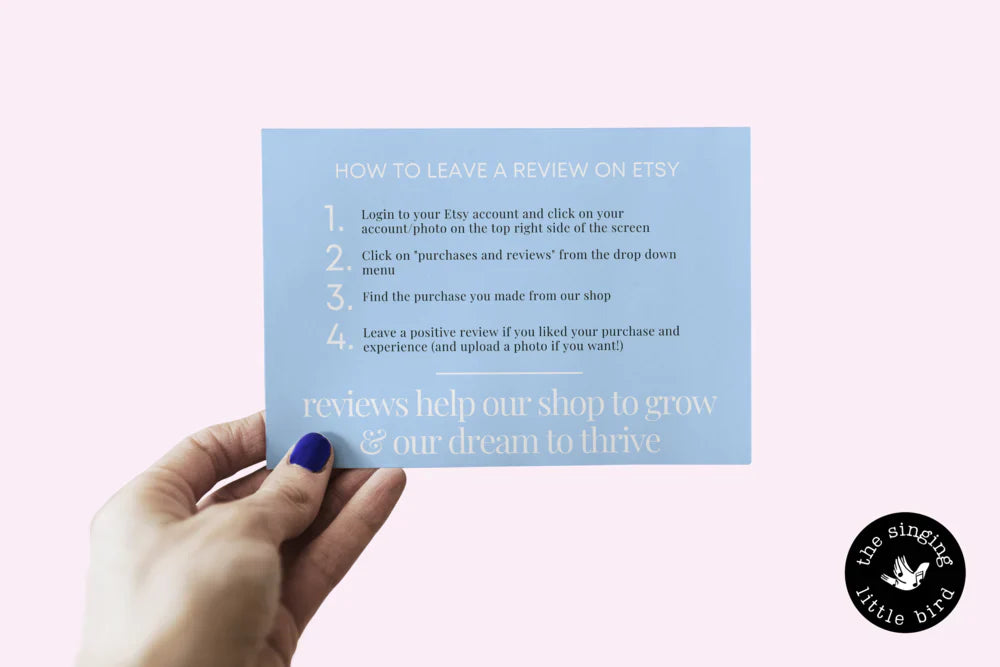
How To Leave A Review On Etsy
If you've made a purchase on Etsy and you are looking for a way to leave your feedback on the item, we are here to help! Below you will find easy and clear steps on how to leave a review on Etsy along with a few other details about Etsy reviews.

How to leave a review on Etsy through your Etsy account
If you purchased the item under your Etsy account, here are the quick and easy steps you can take in order to leave a review. Didn't use an Etsy account and checked out as a guest? No problem — we'll go over that too (scroll down to the next section!).
Step 1
Log in to your Etsy account and click on your account photo on the top right side of your screen.

Step 2
Click on "Purchases and Reviews" from the dropdown menu.
 |
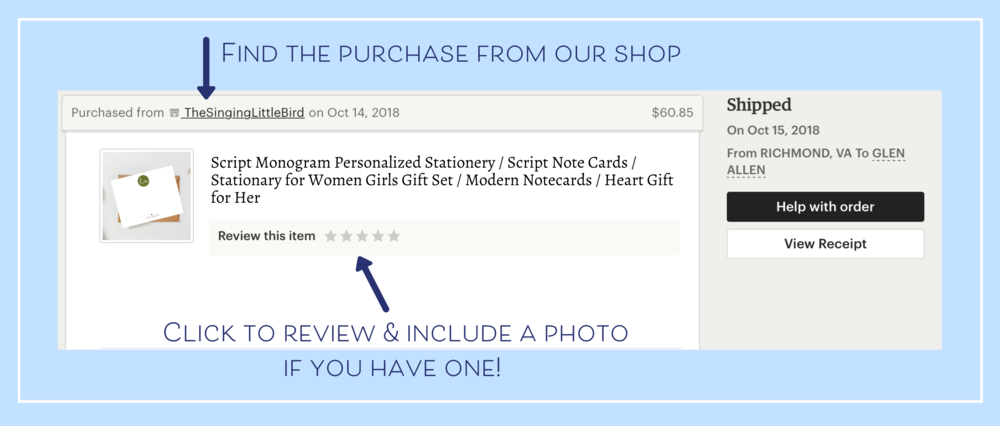 |
Step 3
Find the purchase made from our shop. If you've purchased from multiple different shops, you can see the item listing and shop name on this page — scroll to find the item you'd like to review.
Step 4
Click to leave a positive review if you enjoyed your purchase and experience — and include a photo if you can! Positive reviews help small businesses grow and thrive. If you have negative feedback, we recommend reaching out to the shop directly first to give them a chance to address any issues. A photo is always a great touch to show other shoppers what you got (and shop owners love to see how you're using their products too!).
How to leave a review when you checked out as a guest
If you don't have an Etsy account yet, or forgot to log in before checking out, here are the steps to leave a review.
| 1 | Open your email inbox (the address you used to check out as a guest). |
| 2 | Locate the email receipt you received when you placed your order. This email is sent from transaction@etsy.com. |
| 3 | Click the order number in the first line of your receipt. |
| 4 | Sign in or create an Etsy account on etsy.com. |
| 5 | Your order is automatically connected to your new (or existing) Etsy account. |
| 6 | Scroll up to the top of this post and follow steps 1–4 above to leave your review! |
A few other FAQs about Etsy reviews
When can I leave a review?
You can leave a review after the item has been delivered, for up to 100 days from that date. For digital downloads, the window is 100 days after you've downloaded some or all of the files.
What should I write in my review?
Think about both future customers and the shop owner. What did you like about the product? How is the quality? What about the packaging and shipping? Be honest and descriptive. Uploading a photo helps too!
Should I always give 5 stars?
We believe every shop should strive to provide a 5-star experience. If something fell short, we highly recommend reaching out to the shop directly first — most shop owners genuinely want to make it right. Giving less than 5 stars can significantly impact a small shop's ability to be discovered by future customers, so please give them the chance to address any issues first.
Can I edit my review after posting?
Yes — you have up to 100 days after purchase to edit your review.
I hope that helps! If you have any other questions, feel free to drop us a line.



Leave a comment
This site is protected by hCaptcha and the hCaptcha Privacy Policy and Terms of Service apply.